
-31%
Create, Remix, and Expand Music Ideas with AI Tools and Plugins
Music production wiz Thomas Cochran presents comprehensive Reason video tutorials! If you're ready to make Reason the DAW of your choice and take advantage of its impressive host of features like Reason Rack and huge collection of virtual instruments, this course is for you. Thomas systematically takes you through the important, foundational elements of this DAW, explaining and demonstrating each with helpful examples so you're putting your newfound skills to use as you go. These videos are for new Reason users.
“Reason Explained®” provides a comprehensive introduction to Reason, guiding new users through its core workflow, devices, and production features. Instructor Thomas Cochran walks through the foundational elements of the DAW, demonstrating how to navigate the interface and begin creating music confidently. The training begins with an overview of Reason’s layout, including setup of your audio interface for playback and recording. You’ll explore the Browser for loading and organizing devices and presets, review transport and sequencer controls, and learn how devices are managed within the Reason Rack. From there, the course covers recording MIDI and audio, configuring MIDI controllers, and basic editing techniques such as slicing, fades, copying and pasting, time-stretching, and pitch adjustment. Additional lessons explore VST instruments, built-in effects, utility devices, Players for MIDI processing, Combinators for organizing complex devices, and exporting your first song. By the end, you’ll understand how to navigate Reason’s unique environment and use its instruments, effects, and rack-based workflow to build complete productions.
Create, Remix, and Expand Music Ideas with AI Tools and Plugins
Edit, Comp, Tune, and Produce Professional-Quality Vocals in Your DAW
Learn tips on how to create effective HyperPop productions with these informative video tutorials.
Create Chord Progressions and Arrangements Using Captain Plugins & Scaler 2

Modern Vocal Effects and Creative Processing Techniques for Contemporary Productions
Build Expressive String Arrangements Through Strong Harmony, Voice Leading, and Realistic Ensemble Writing
Learn how to use this AI-powered virtual vocalist app to generate, edit, and process professional-sounding vocals in virtually any style. All parameters and controls are explained, and numerous examples demonstrate it in action.
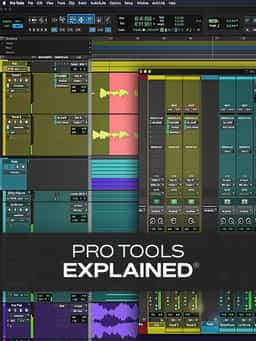
Take a deep dive into the functionality of Pro Tools with this comprehensive video tutorial series.
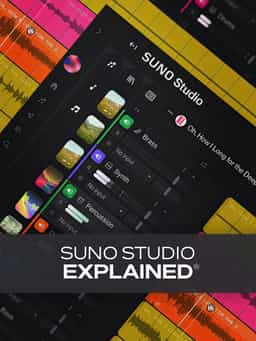
Learn Suno Studio – AI Music Creation from Basic to Advanced

Launch a Professional Audio or Video Podcast from Recording to Final Export


