
-35%
Create, Remix, and Expand Music Ideas with AI Tools and Plugins
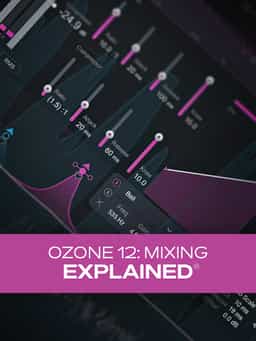
Learn how to mix with Ozone 12 using Stabilizer, Bass Control, Dynamic EQ, IRC4, Vintage Tape, and more to tighten low end, enhance punch, and add clarity and stereo width.
“Ozone 12: Mixing Explained” demonstrates how to use Ozone 12’s modules to shape, balance, and enhance your mixes before mastering. In this course, Larry Holcombe walks through practical mixing workflows using tools such as Stabilizer, Bass Control, Dynamic EQ, IRC4, and Vintage Tape. The course begins with low-end management, focusing on how Stabilizer and Bass Control can tighten and balance the bottom end while maintaining punch. You’ll see how adaptive tone shaping and stereo separation can clarify kick and bass elements. Next, the training explores Dynamic EQ, mid-band parallel compression, and transient shaping to enhance punch and groove. Additional lessons include sculpting kick drum stems, creating stereo width that remains mono-compatible, and using IRC4 for clean clipping. The remaining videos cover house drum bus processing, transient and sustain enhancement for rock mixes, vintage-style tape saturation, and stereo vocal widening using subtle pitch-shifted layers. By the end of the course, you’ll understand how to integrate Ozone 12 into your mixing workflow for controlled low end, improved dynamics, and enhanced stereo imaging.
Create, Remix, and Expand Music Ideas with AI Tools and Plugins
Edit, Comp, Tune, and Produce Professional-Quality Vocals in Your DAW
Learn tips on how to create effective HyperPop productions with these informative video tutorials.
Create Chord Progressions and Arrangements Using Captain Plugins & Scaler 2
Modern Vocal Effects and Creative Processing Techniques for Contemporary Productions
Build Expressive String Arrangements Through Strong Harmony, Voice Leading, and Realistic Ensemble Writing
Learn how to use this AI-powered virtual vocalist app to generate, edit, and process professional-sounding vocals in virtually any style. All parameters and controls are explained, and numerous examples demonstrate it in action.
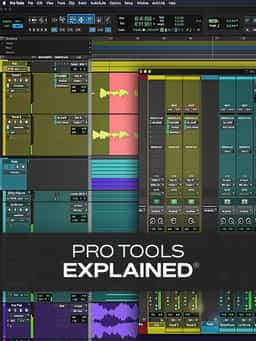
Take a deep dive into the functionality of Pro Tools with this comprehensive video tutorial series.
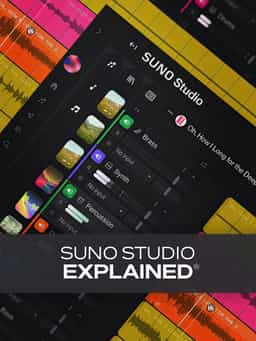
Learn Suno Studio – AI Music Creation from Basic to Advanced

Launch a Professional Audio or Video Podcast from Recording to Final Export


