Receives error message; won't download; won't load. (Audacity 3.7.7. for iMac)

Free
OpenVINO AI Tools
NOTE: Only works with Audacity 3.7.4 and later. OpenVino is a powerful collection of AI tools, built specifically for Audacity! Includes high-quality noise suppression, music separation into individual stems, voice transcription, and audio super-resolution.
Previews
What’s New?
3.7.1
This release adds instructions for loading OpenVINO in Audacity.
Description
Elevate your Audacity workflow with our suite of powerful tools. Isolate instruments and vocals with Music Separation, transforming any track into individual stems. Clean up your recordings with Noise Suppression, perfect for crystal-clear spoken word. Spark your creativity with Music Generation, crafting unique snippets or extending existing melodies. Effortlessly convert speech to text using Whisper Transcription, and enhance audio quality with Audio Super Resolution. To load OpenVINO in Audacity: • Make sure you have updated Audacity to the latest version available on MuseHub. • Go to OpenVINO on MuseHub to begin the installation. • During installation, select which models and effects you want to use. Note: some models are large and may take time to download and require significant local storage space. • After restarting Audacity, you will find the OpenVINO effects under Effects > OpenVINO. Note: OpenVINO AI is not supported on ARM devices.
Music separation
Noise suppression
Music generation and continuation
Whisper transcription
Audio Super resolution
You May Also Like


A notepad designed specifically for your DAW

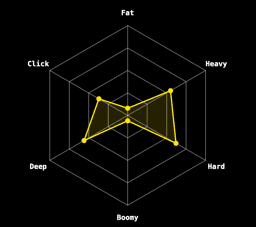
Kick Drum Generator


Free
AI powered instruments and effects


Free
Straightforward gating and compression plugin


AI Powered Voice to Text Transcription Made Easy


AI-Powered Speaker Separation


Free
An essential collection of mix effects


Professional AI-Powered Speaker Separation


Free
Blind A/B Testing Inside Your DAW


Free
Multieffect plugin for sound modulation