
-30%
Create, Remix, and Expand Music Ideas with AI Tools and Plugins
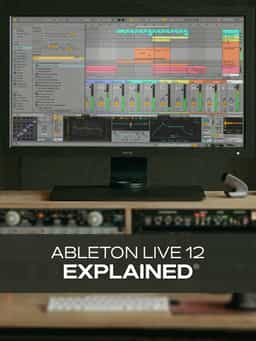
If you're new to Ableton Live 12, you're in the right place. In this comprehensive Ableton Live 12 video course, production expert Thomas Cochran will guide you through all the features that make Ableton Live 12 one of the most popular DAWs out there. You'll learn everything you need to know to get up and running quickly, as well as plenty of information that will come in handy once you've gotten your feet wet with the basics. These Live 12 videos are designed for new Ableton Live users.
"Ableton Live 12 Explained®" is a practical video course designed to help you get up and running with Ableton Live 12, whether you're brand new to the software or switching from another DAW. This training focuses on essential features and workflows you'll use daily, helping you quickly become productive in creating music, recording, mixing, and exporting finished productions. The course begins with critical system setup, walking you through audio interface configuration on both Mac and Windows, including driver installation (Core Audio/ASIO), sample rate selection, and input/output routing. You'll learn to optimize buffer size for recording versus mixing scenarios, connect and configure MIDI controllers for external keyboards, and enable VST/AU plugins for expanding your sonic palette. As the lessons progress, you'll discover how to customize Ableton's interface with themes and colors, navigate between Session View and Arrangement View using keyboard shortcuts, and configure essential preferences like monitoring latency reduction and fade automation settings. The course covers practical CPU management techniques, helping you understand when to adjust latency settings for smooth playback versus low-latency recording. You'll also learn important workflow optimizations specific to different production tasks, such as disabling automatic fades for drum programming to preserve transient snap, and managing warp sample processing for better performance with large audio files. The training ensures you understand the differences between Mac and Windows setups, so you can configure everything correctly regardless of your operating system. Whether you're creating electronic music, recording live instruments, or producing complete songs from scratch, this course provides the foundational knowledge you need to work efficiently in Ableton Live 12. By the end, you'll have your system properly configured, understand essential workflows, and be ready to focus on making music rather than troubleshooting technical issues. If you're ready to master Ableton Live 12's setup and start creating music with confidence, this course is the perfect place to begin.
Create, Remix, and Expand Music Ideas with AI Tools and Plugins
Edit, Comp, Tune, and Produce Professional-Quality Vocals in Your DAW
Learn tips on how to create effective HyperPop productions with these informative video tutorials.
Create Chord Progressions and Arrangements Using Captain Plugins & Scaler 2
Modern Vocal Effects and Creative Processing Techniques for Contemporary Productions
Build Expressive String Arrangements Through Strong Harmony, Voice Leading, and Realistic Ensemble Writing
Learn how to use this AI-powered virtual vocalist app to generate, edit, and process professional-sounding vocals in virtually any style. All parameters and controls are explained, and numerous examples demonstrate it in action.
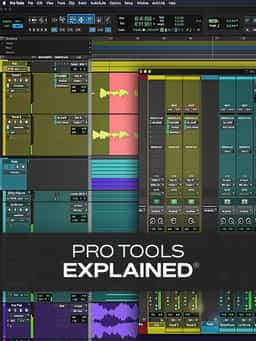
Take a deep dive into the functionality of Pro Tools with this comprehensive video tutorial series.
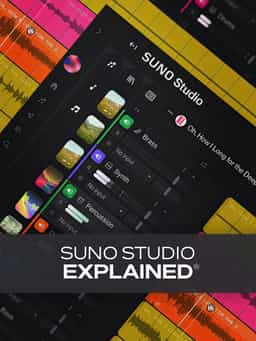
Learn Suno Studio – AI Music Creation from Basic to Advanced

Launch a Professional Audio or Video Podcast from Recording to Final Export


