
-30%
Create, Remix, and Expand Music Ideas with AI Tools and Plugins
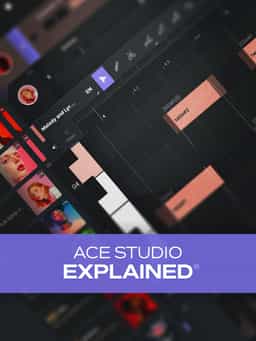
Join veteran Groove3 instructor Eli Krantzberg for a comprehensive look at ACE Studio - the popular AI-powered virtual vocal generator that allows you to create studio-quality vocals from MIDI and lyrics. You'll learn all you need to know to create stellar vocals, from using the Clip Viewer to drawing in melodies, entering lyrics, editing pitch, and much more. By the end of the course, you'll be ready to start using ACE Studio in your very next production. These ACE Studio videos are designed for new ACE Studio users.
“ACE Studio Explained®” delivers a complete walkthrough of ACE Studio, the AI-powered virtual vocal generator designed to create studio-quality vocals from MIDI and lyrics. Instructor Eli Krantzberg guides new users through the app’s workflow, tools, and creative features so you can confidently build expressive vocal performances for your productions. The course begins with an overview of the interface, including preferences, transport controls, library, arrangement view, and Clip Viewer. You’ll learn how Clips function as containers for MIDI notes and audio, and how to create, move, split, resize, and organize them efficiently. Proper project saving and workflow management are also covered. From there, you’ll explore melody creation using editing tools and keyboard shortcuts, along with multiple approaches to lyric entry. Pitch editing techniques are demonstrated for refining notes, adjusting vibrato, and shaping vocal phrasing. Additional lessons cover recording your own vocal for MIDI conversion, importing monophonic or polyphonic MIDI, auditioning and blending voices, adjusting emotional parameters such as breath and falsetto, working with the Chord Track, and connecting to your DAW using ACE Bridge. By the end, you’ll understand how to generate, edit, and refine virtual vocals for use in your own tracks.
Create, Remix, and Expand Music Ideas with AI Tools and Plugins
Edit, Comp, Tune, and Produce Professional-Quality Vocals in Your DAW
Learn tips on how to create effective HyperPop productions with these informative video tutorials.
Create Chord Progressions and Arrangements Using Captain Plugins & Scaler 2

Modern Vocal Effects and Creative Processing Techniques for Contemporary Productions
Build Expressive String Arrangements Through Strong Harmony, Voice Leading, and Realistic Ensemble Writing
Take a deep dive into the functionality of Pro Tools with this comprehensive video tutorial series.
Learn Suno Studio – AI Music Creation from Basic to Advanced

Launch a Professional Audio or Video Podcast from Recording to Final Export
Build Your First Beat from Sample Selection to Final Polish in FL Studio


